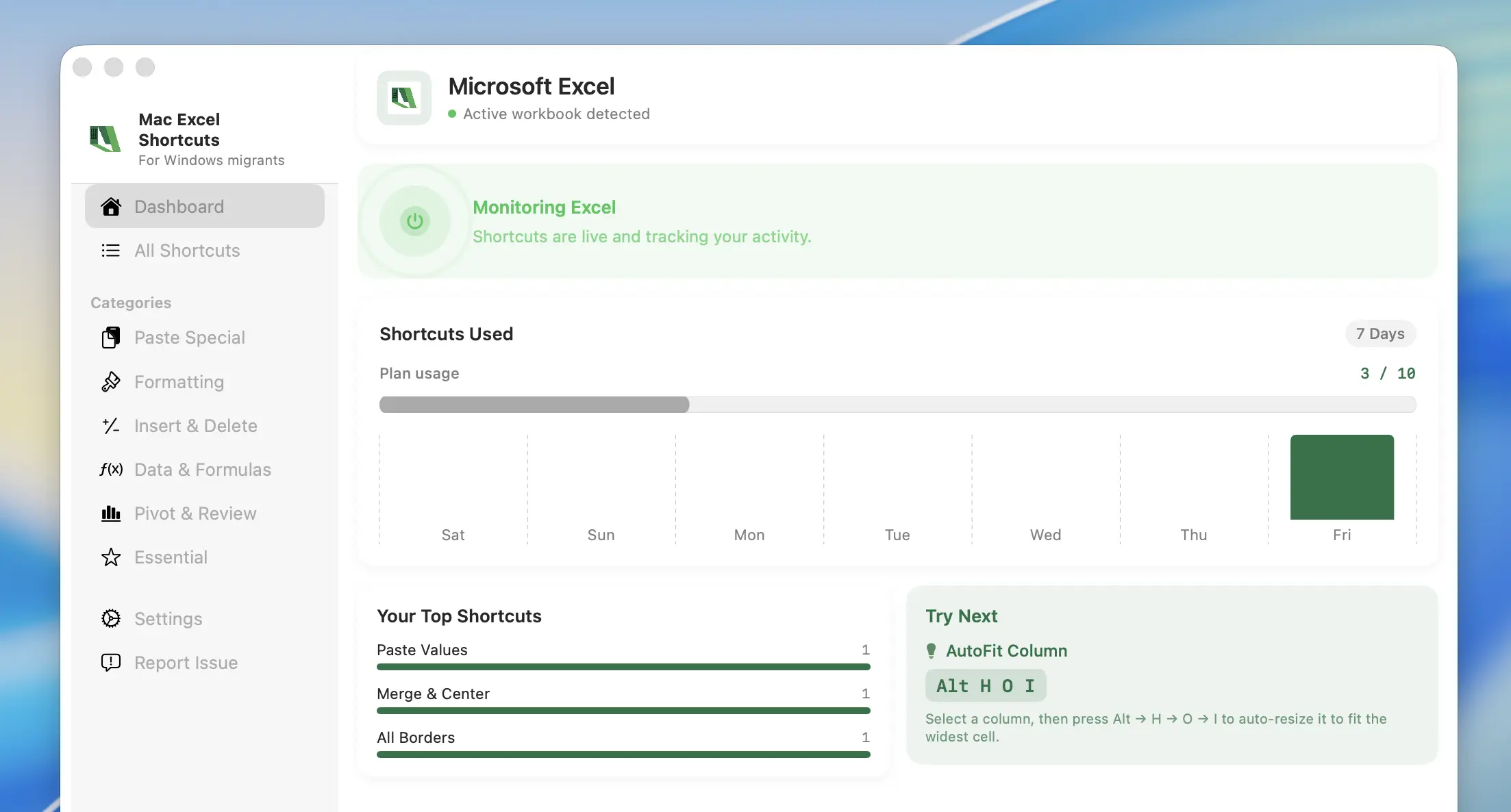
Available for Mac OS

Excel Keyboard
Shortcuts for Mac

Every Excel shortcut key you learned on Windows — Paste Special, AutoSum, formatting, navigation — running natively on your Mac. One app, zero relearning.
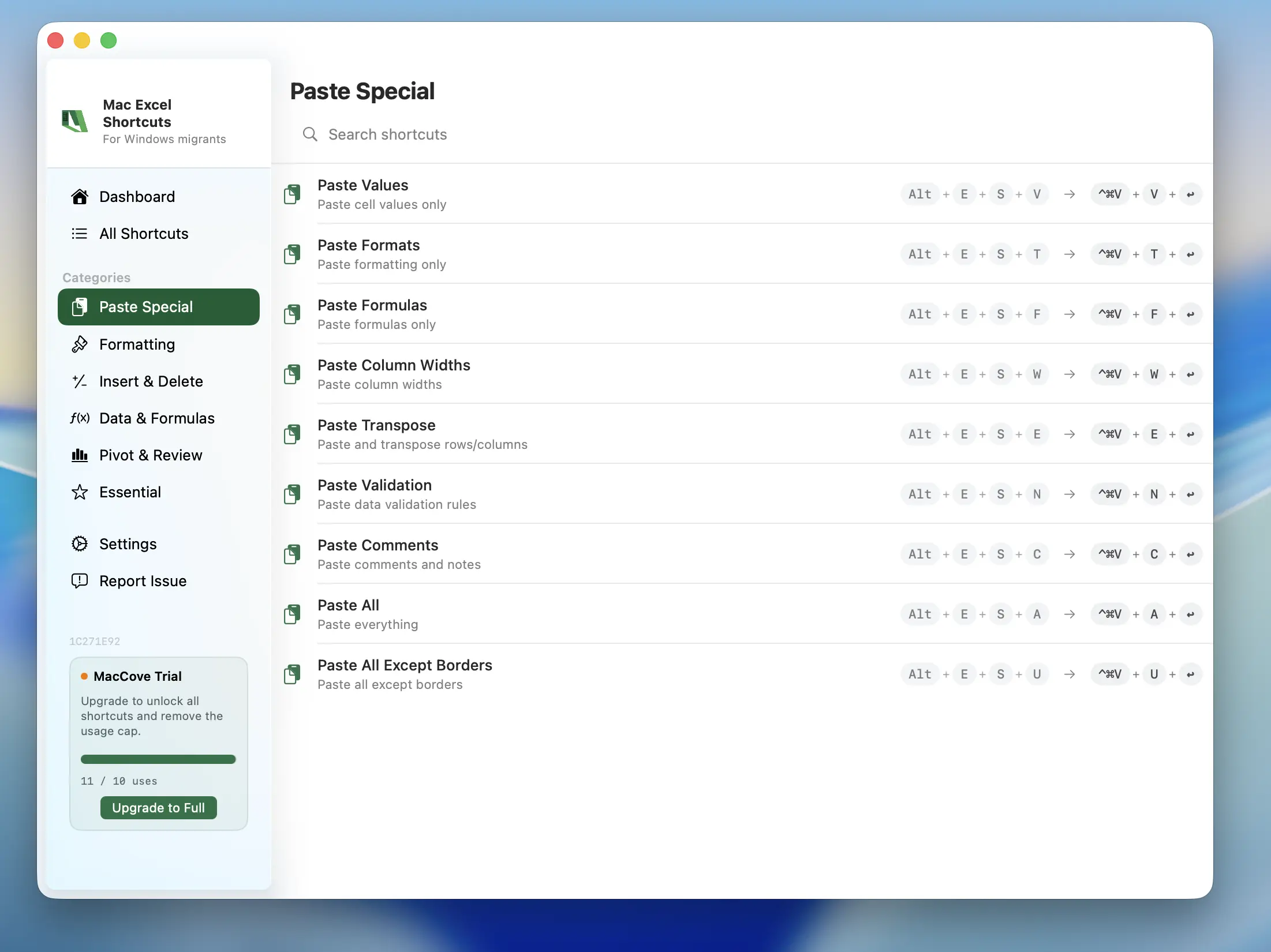
Paste Special shortcuts in Mac Excel Shortcuts
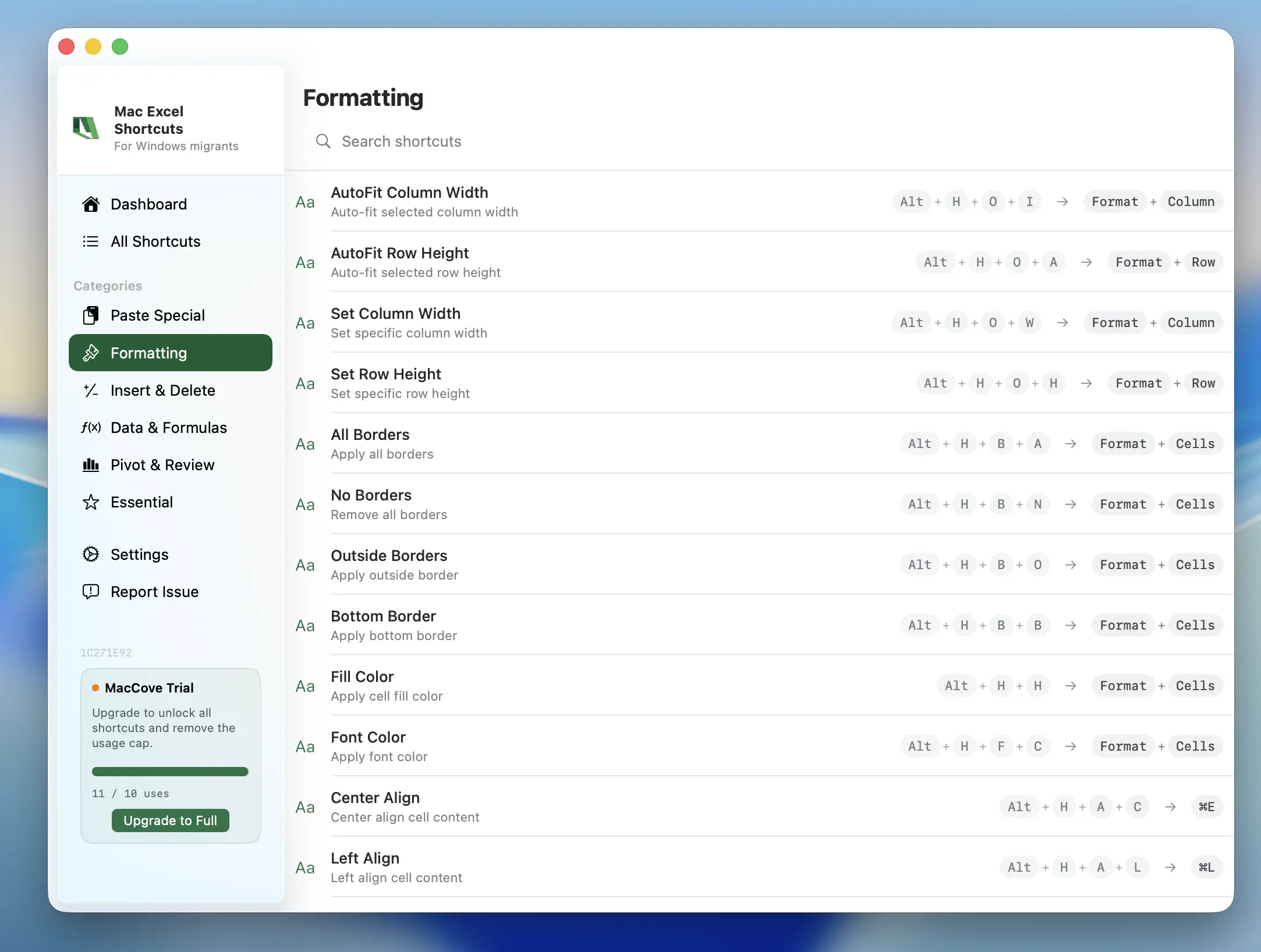
Formatting shortcuts in Mac Excel Shortcuts
Mac Excel Shortcuts app screenshot

The Excel Shortcuts Mac Users Miss Most

The Windows Excel shortcuts you already know, now working natively on your Mac.

Alt+E+S+V
Paste Special
Paste values, formulas, or formatting only — without carrying over the rest of the copied cell.
Alt+=
AutoSum
Insert a SUM formula for the selected cells without typing it out.
Alt+H+O+I
AutoFit Column Width
Resize the selected columns to fit their contents automatically.
Alt+Enter
New Line in Cell
Start a new line within the same cell instead of moving to the next one.
Ctrl+1
Format Cells
Open the Format Cells dialog exactly like the Windows shortcut, without hunting through menus.
+Alt+F
Freeze Panes
Lock the selected rows and columns in place while you scroll through large sheets.

Want the complete, printable reference? Read the full Mac Excel shortcut cheat sheet.

How It Works

Get started with Mac Excel Shortcuts in three simple steps. From download to full automation in under 1 minute.

1
Download the App
Download the DMG directly. Installation takes seconds and requires zero setup.
2
Provide Permissions
We need two permissions, Accessibility to access Excel, and Input Monitoring to connect your keyboard to Excel.
3
Open Excel and Start Using
Open Excel and start using your shortcuts, exactly like on Windows.

Questions & Answers

Everything you need to know about Excel keyboard shortcuts on your Mac.

Mac Excel Shortcuts is available on macOS 14.0+ (Sonoma and above).
Yes — MacCove is free to download and use for up to trial usage limits or 7 days. For unlimited shortcuts, advanced actions, cloud sync, and team sharing, upgrade to for $4.99/month or $49.99/lifetime.
No, each license covers only one Mac for now.
Yes — all shortcuts run locally on your device upto 24 hours in trial period and 7 days post upgrade. They don't require an internet connection as part of our local-first architecture.
We do not collect any data.
Yes — Refer two people to Mac Excel Shortcuts, and get 50% on your upgrade.