Free tools for Excel on Mac

Free Excel Utilities for Mac

Three small tools that save Mac users from Windows-only workarounds: a printable Excel shortcuts cheat sheet, a PDF to Excel converter and an Excel to PDF converter.

Excel Shortcuts Cheat Sheet

Printable PDF

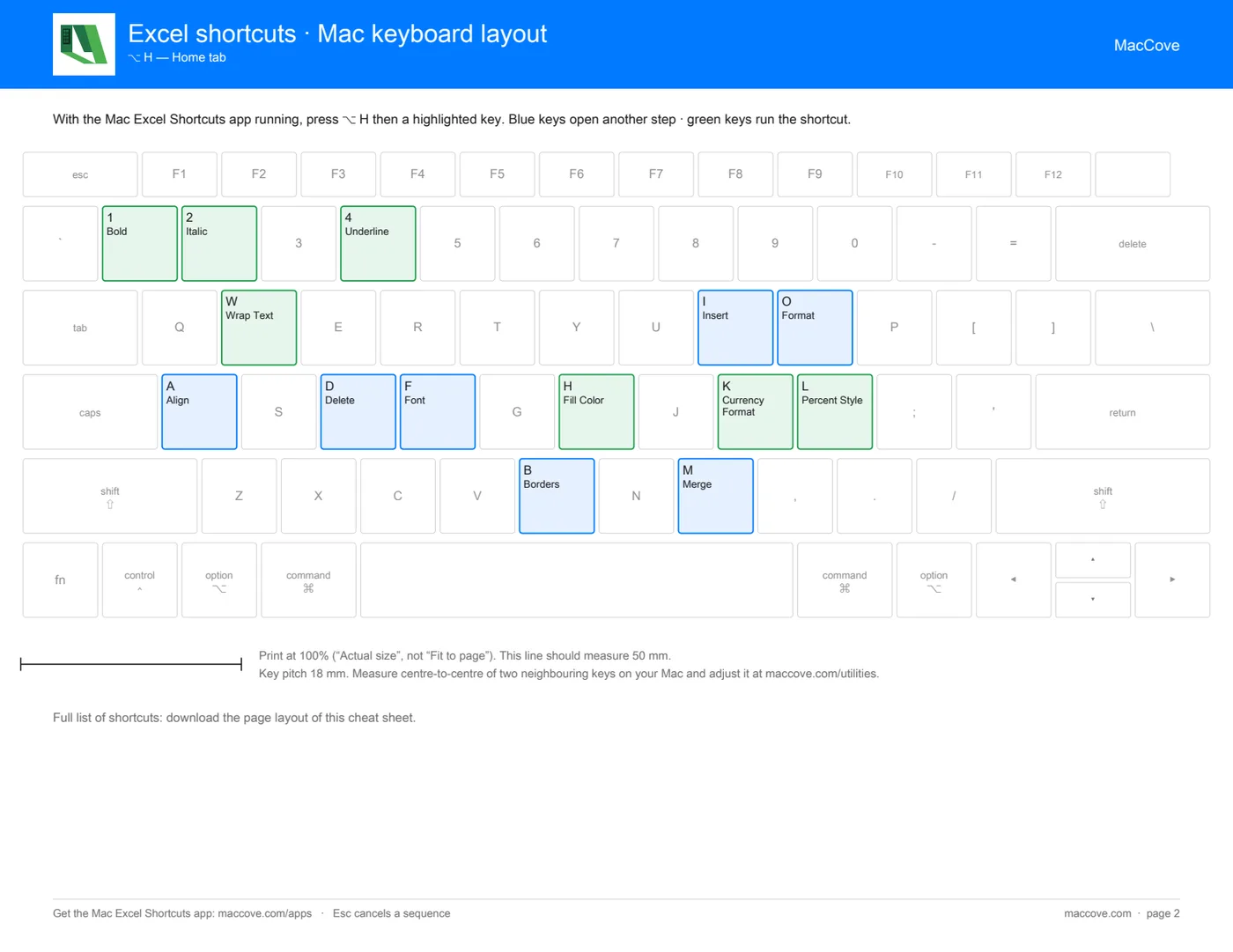
Every Windows Excel shortcut next to what you press on your Mac. Download it as a clean PDF, or print the keyboard layout and stick it right on your MacBook.

Mac keyboard layout cheat sheet

PDF to Excel

Converter

Upload a PDF and get an Excel workbook back, with every table on its own sheet. Numbers come through as numbers, so you can sort and sum them straight away.

Excel to PDF

Converter

Turn an .xlsx, .xls or .csv file into a PDF that keeps your formatting. Ready to share, print or attach, with no Excel needed.

How It Works

Pick a tool, use it, and download your file in under a minute.

2
Upload or choose
Drop in your file, or pick a cheat sheet layout. You see it work before you sign in.
3
Download it
Sign in with Google to get your file. Your upload is deleted right after conversion.

Why use MacCove utilities

Free

to use, with no watermarks. Try a converter before you sign in, and sign in with Google only when you download your file,

in one click.

No catch
Private

by design. Uploads are processed in memory or a temporary folder and deleted right after conversion. We do not store, read or share your files,

ever.

Your files
Mac

first. Made by the team behind Mac Excel Shortcuts, for people who work in Excel on a MacBook and are tired of Windows-only

workarounds.

Built for you
Fast

enough to forget about. Nothing to install: open a page, drop a file and get your result in seconds. Your next

tab is waiting.

In your browser

Questions & Answers

About the MacCove utilities.

Yes. All three utilities are free to use. You sign in with Google when you download your file.
Signing in keeps the tools free by limiting abuse. You can try the converters before signing in, and sign in only to download. We use your Google name and email, and send Mac Excel tips you can unsubscribe from at any time.
No. PDFs and spreadsheets are processed in memory or a temporary folder and deleted straight after conversion.
No. The utilities work on their own. The Mac Excel Shortcuts app is a separate product that brings Windows Excel shortcuts to your Mac.