Clipboard History on a Mac: What macOS Offers and How to Get It
A Mac clipboard normally holds one item: the last thing copied. macOS Tahoe added a searchable clipboard history inside Spotlight, while earlier versions need a separate app for anything older than the last copy.
Does a Mac have clipboard history?
Yes from macOS Tahoe onward, through Spotlight. Earlier macOS versions have no history; the clipboard holds one item, and copying again replaces it, so older copies are gone.
Apple’s guide says that, in macOS Tahoe or later, Clipboard history lets you browse recently copied text, images, links and files. The macOS 12 virtual machine used for testing predates the feature.
How do you open clipboard history in Spotlight?
Press Command+Space to open Spotlight, then press Command+4 or click the Clipboard button beside the search field. Type to filter the history, and select an item to copy it again.
Open Spotlight clipboard history
- Press Command+Space to open Spotlight.
- Press Command+4, or click the Clipboard button next to the search field.
- The first time, click Allow when macOS asks whether Spotlight may show Clipboard results.
- Type to search, then click the copy icon (or select the item and press Command+C).
- Click into the destination and press Command+V.
How do you clear clipboard history?
Open Spotlight clipboard history, click the More button next to the search field and choose Clear History. Apple says history can be cleared at any time.
Apple’s page also warns that sensitive information may appear on the Clipboard. Clear the history after copying passwords, card numbers or private messages.
What can older Macs show of the clipboard?
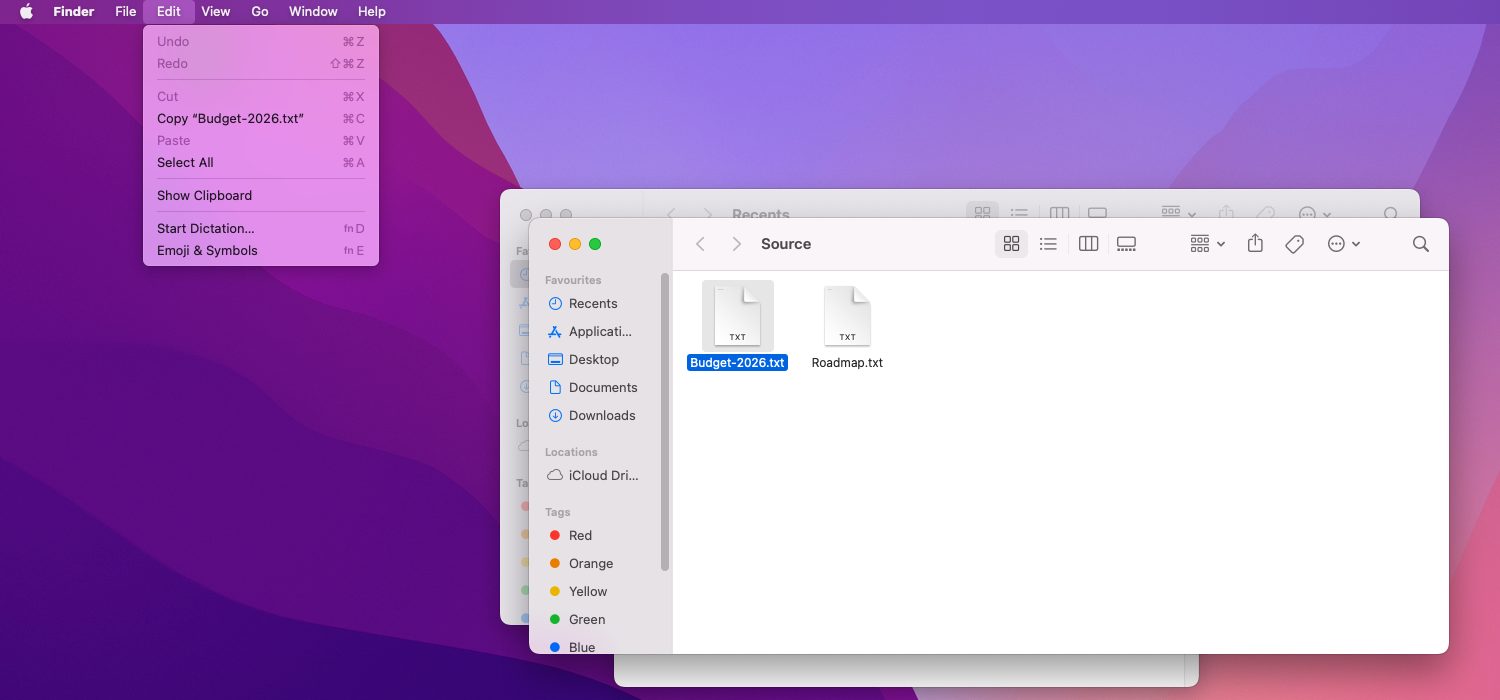
Finder’s Edit menu has a Show Clipboard command that opens a small window with the current clipboard contents only. Older copies are never listed there.
Which options give history on older macOS versions?
Three routes exist: upgrade to macOS Tahoe or later, install a third-party clipboard manager, or paste each copy somewhere permanent such as Notes. Each suits a different user.
| Option | History kept | Trade-off |
|---|---|---|
| Spotlight clipboard history (macOS Tahoe or later) | Recent text, images, links and files | Needs an OS upgrade; first use asks permission |
| Show Clipboard in Finder | Current item only | No history at all |
| Third-party clipboard manager | Depends on the app | Another app with access to everything copied |
| Paste into Notes | Whatever is saved | Manual; no search across copies |
File Cut Paste App is not a clipboard manager. The app adds a real Command+X and Command+V for moving files in Finder.
Does Universal Clipboard keep a history?
No. Universal Clipboard sends the latest copy to nearby Apple devices signed in to the same Apple Account, where it stays only until something new is copied on either device.
Apple lists Wi-Fi, Bluetooth and Handoff as requirements. See How to Copy and Paste on a Mac for the iPhone-to-Mac steps.
FAQs
How do you see what you copied earlier on a Mac?
In macOS Tahoe or later, open Spotlight with Command+Space and press Command+4 to browse recent copies. On earlier versions, only the latest copy exists, visible under Edit, Show Clipboard in Finder.
Is Spotlight clipboard history turned on by default?
Apple’s guide describes a prompt: the first time Clipboard results are searched, macOS asks whether to allow them in Spotlight. Click Allow to use the feature, or decline to keep it off.
How long does Spotlight keep clipboard items?
Apple’s guide does not state a retention period. Some third-party articles describe options of 30 minutes, 8 hours or 7 days, so confirm the current setting on the Mac in question.
Can a Mac copy more than one item at a time?
The standard clipboard holds one item. Selecting several files in Finder and copying them counts as one clipboard item, but separate copies still replace each other.