What Are the Mac Excel Keyboard Shortcuts?
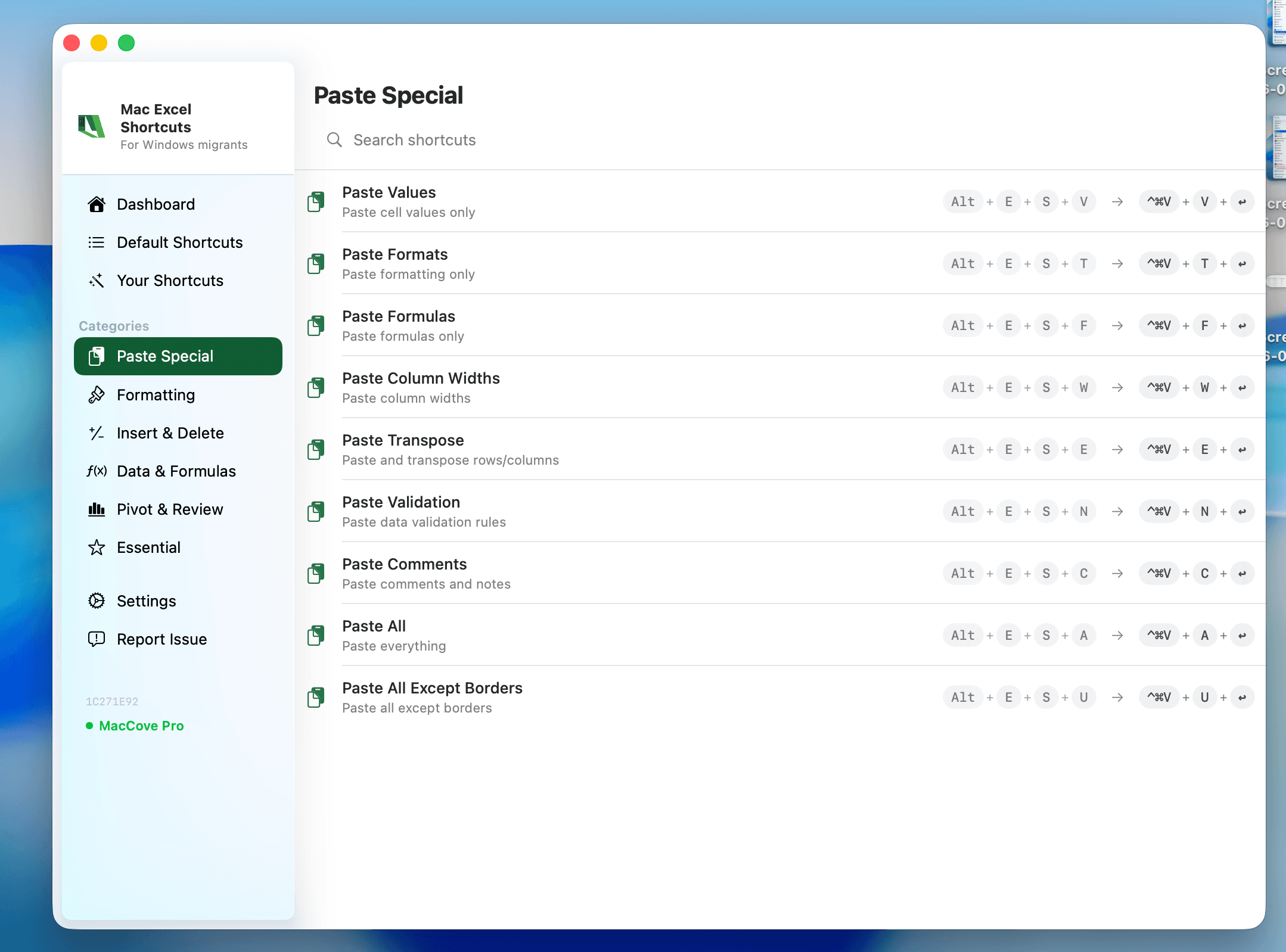
Quick Answer: Most Windows Excel shortcuts translate to Mac by swapping Ctrl → Cmd. The main exceptions are number-formatting shortcuts, formula-auditing shortcuts, Insert/Delete cells, and column selection — these keep Control on Mac because Cmd is already claimed by macOS system shortcuts (like Spotlight on Cmd+Space). The table below covers navigation, editing, formatting, and formulas — the ~30 shortcuts you'll use 95% of the time. Mac Excel Shortcuts app remaps the 100+ Windows-style keystrokes you already know to their correct Mac equivalents automatically, including ones with no native shortcut at all, like Remove Duplicates.
This is a searchable reference, not a tutorial. For step-by-step workflows built around these shortcuts, see the role-based guides linked at the bottom.
How to read this table
Cmd = Command key (⌘)
Control = the Control key (not Cmd) — used where macOS reserves Cmd for system-level shortcuts
Option = Option/Alt key (⌥)
Fn = required on most MacBook keyboards to activate F-keys
Navigation
| Shortcut | Description | Windows Equivalent |
| Cmd+Home | Jump to cell A1 | Ctrl+Home |
| Cmd+End | Jump to last used cell | Ctrl+End |
| Cmd+Arrow | Jump to edge of current data region | Ctrl+Arrow |
| Cmd+Shift+Arrow | Extend selection to edge of data region | Ctrl+Shift+Arrow |
| Cmd+Shift+End | Extend selection to last used cell | Ctrl+Shift+End |
| Control+Fn+F5 (confirm exact key combo) | Go To dialog | Ctrl+G / F5 |
| Control+Page Down | Move to next worksheet tab | Ctrl+Page Down |
| Control+Page Up | Move to previous worksheet tab | Ctrl+Page Up |
| Cmd+` (grave accent) | Switch between open workbook windows | Alt+Tab / Ctrl+Tab |
| Shift+Space | Select entire row | Shift+Space |
| Control+Space | Select entire column | Ctrl+Space |
| Cmd+A | Select all cells in worksheet | Ctrl+A |
Editing
| Shortcut | Description | Windows Equivalent |
| Cmd+C | Copy | Ctrl+C |
| Cmd+X | Cut | Ctrl+X |
| Cmd+V | Paste | Ctrl+V |
| Control+Cmd+V | Paste Special dialog | Ctrl+Alt+V |
| Cmd+Z | Undo | Ctrl+Z |
| Cmd+Y | Redo / repeat last action | Ctrl+Y / F4 |
| Fn+F2 | Edit active cell | F2 |
| Delete | Clear cell contents | Delete |
| Cmd+D | Fill down | Ctrl+D |
| Cmd+R | Fill right | Ctrl+R |
| Control+I | Insert cells/rows/columns | Ctrl+Plus |
| Control+K | Delete cells/rows/columns | Ctrl+Minus |
| Control+Option+Return | Insert line break within a cell | Alt+Enter |
| Cmd+F | Find | Ctrl+F |
| Option+Cmd+F (confirm exact key combo) | Replace | Ctrl+H |
Formatting
| Shortcut | Description | Windows Equivalent |
| Cmd+1 | Open Format Cells dialog | Ctrl+1 |
| Cmd+B | Bold | Ctrl+B |
| Cmd+I | Italic | Ctrl+I |
| Cmd+U | Underline | Ctrl+U |
| Control+Shift+4 | Apply currency format | Ctrl+Shift+4 |
| Control+Shift+5 | Apply percentage format | Ctrl+Shift+5 |
| Control+Shift+~ | Apply general (default) number format | Ctrl+Shift+~ |
| Control+Shift+! | Apply comma/thousands format | Ctrl+Shift+! |
| Cmd+Option+0 | Add outside border to selection | Ctrl+Shift+& |
| Control+Shift+L | Toggle AutoFilter arrows | Ctrl+Shift+L |
Formulas
| Shortcut | Description | Windows Equivalent |
| Shift+Cmd+T | AutoSum | Alt+= |
| Shift+Fn+F3 | Insert Function dialog | Shift+F3 |
| Cmd+T | Toggle absolute/relative cell reference | F4 |
| Control+` (grave accent) | Toggle formula view (show formulas) | Ctrl+` |
| Fn+F9 (confirm exact key combo) | Recalculate all open workbooks | F9 |
| Shift+Fn+F9 (confirm exact key combo) | Recalculate active worksheet | Shift+F9 |
Why the modifier key sometimes stays Control
macOS reserves several Cmd-key combinations for system-level functions — Cmd+Space opens Spotlight, for instance — so Excel can't safely remap those actions to Cmd. Number-format shortcuts were also kept on Control because they map to the symbol printed on the key (Shift+4 = $), and that logic only works if the modifier pattern matches Windows. It's the single biggest source of "muscle memory failure" for Windows migrators.
FAQs
Do these shortcuts work in older versions of Excel for Mac?
Most do, but a few (XLOOKUP-related, some Data tab shortcuts) require Excel 365 or 2021+.
What if a shortcut doesn't work on my Mac?
Check whether a system-level shortcut has claimed the same combo — go to System Settings → Keyboard → Keyboard Shortcuts to check for conflicts.
Is there a way to make Windows shortcuts work directly on Mac without relearning?
Yes — Mac Excel Shortcuts app remaps the Windows-style keystrokes you already know to their correct Mac equivalents automatically.