Mail Taking Up Space on Mac? Where Attachments Hide and How to Remove Them Safely (2026)
How much space is Mail using on your Mac?
Check Mail's footprint in System Settings, General, Storage, then open Mail, Control-click an inbox and choose Get Account Info to see how much each account uses, per Apple's Mail guide.
Apple's page Optimize storage space on your Mac gives the System Settings route, and Apple's Delete emails and manage storage in Mail gives Get Account Info. MacPaw instead gives Apple menu, About This Mac, More Info, Storage Settings, and Mailbird gives Mailbox, Get Account Info, so the menu path differs by guide; use whichever opens on your Mac. MacPaw says attachments can occupy 10 GB or more, which is a vendor estimate, not a measurement.
What can you remove inside Mail itself?
Inside Mail, sort messages by size, delete the biggest ones or use Message, Remove Attachments, then choose Mailbox, Erase Deleted Items, because Apple documents these commands and they stay inside Mail's own storage.
Choose View, Sort By, Size, which Apple suggests for finding large messages.
Save any attachment you need first. MacPaw gives the attachment icon, then Save All.
Select the message and choose Message, Remove Attachments. The message stays in the mailbox without its attachment.
Choose Mailbox, Erase Deleted Items to empty Trash.
Apple warns that on an IMAP account, attachments are deleted from the mail server and cannot be retrieved, and that Erase Deleted Items removes messages from the server, not only from your Mac. MacPaw adds that on POP3 accounts attachments are not kept on the server either.
How do you stop Mail from keeping every attachment?
Open Mail, Settings, Accounts, Account Information and set Download Attachments to a smaller option; two guides and one 2017 forum answer name this setting, but Apple's Mail guide does not.
The options reported differ: MacPaw's example sets it to None, Mailbird lists Recent or None, and the 2017 Apple Community answer lists All, Recent or None and says it exists for IMAP accounts, including iCloud, not POP. Apple's Optimize storage page says Optimize Storage keeps only recent email attachments on the Mac when space is needed, and links to the Account Information settings. The same 2017 thread describes a General tab setting, Remove unedited downloads, which applies only to temporary files in the Mail Downloads folder. Menu names in that thread are pre-Settings (Preferences), so expect differences.
Should you delete Mail files from the Library folder?
Apple's Mail guide documents only in-app removal, MacPaw advises against editing Mail's Library folders, and Mailbird calls attachments there safe to remove; we recommend Mail's own tools and a backup first.
| Question | Apple Support | MacPaw (Nov 2026) | Mailbird (undated) | Apple Community (2017) |
|---|---|---|---|---|
| Where to see Mail size | Get Account Info (Control-click an inbox) | About This Mac, More Info, Storage Settings | Mailbox, Get Account Info | Not stated |
| Attachment download setting | Not named; Optimize page mentions recent attachments | Download Attachments (example: None) | Download Attachments (Recent or None) | Download Attachments (All, Recent, None); IMAP only |
| Delete from the Library folder | Not documented | Mail Downloads can be trashed, but advises against editing Library | Says attachments in ~/Library/Mail can be safely removed | Remove unedited downloads setting for Mail Downloads |
| Server effect | IMAP removal deletes from server | Mail Downloads deletion does not remove server copies | IMAP deletions also remove mail from iPhone | Not stated |
Apple says Remove Attachments on IMAP deletes the server copy. MacPaw says deleting from Mail Downloads does not remove server copies. Those two statements fit together only if Mail Downloads holds local copies, which Apple's page does not say, so we could not confirm which behaviour applies to your account. Mailbird also suggests deleting the com.apple.mail container or removing and re-adding the account; we saw no warning there that local-only mail could be lost.
Which option fits you?
Pick by account type: for IMAP or iCloud mail use Remove Attachments carefully, for POP mail export first, and for a one-off cleanup start with the largest messages sorted by size.
IMAP or iCloud account: save what you need, then use Remove Attachments; the server copy goes too.
POP account: export or save messages first, using File, Save As in Mail or Mailbox, Export Mailbox, because attachments may exist only on your Mac.
You want less stored going forward: change Download Attachments and review Optimize Storage.
You are tempted to delete Library folders: do not, unless you have a backup and accept the risk the sources disagree on.
Where does MacCove Space fit?
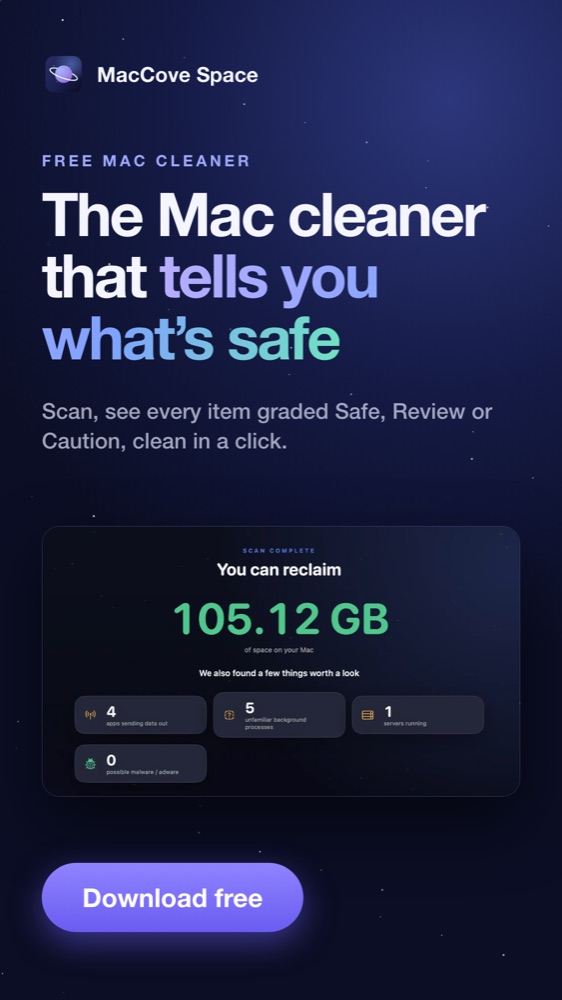
Space scans your Mac for reclaimable space with a free scan and Safe, Review and Caution grades, but we have not checked that it lists Mail attachments separately, so use Mail's tools for them.
Space is a direct download from MacCove, not a Mac App Store app. Per its product page it runs on-device, pre-selects only Safe items, sends cleaned items to the Trash and offers Undo Last Clean. Download it from the Space page for caches and leftovers elsewhere; for mail itself, the steps above are safer. See also Mac storage full: the complete guide and how to clear System Data.
FAQs
Does Remove Attachments delete the file from the server?
For IMAP accounts, Apple says attachments are deleted from the mail server and cannot be retrieved, so save them first.
Does Erase Deleted Items only affect my Mac?
No. Apple says it removes messages from the mail server, not only from your Mac.
Where does Mail keep downloaded attachments?
MacPaw names ~/Library/Containers/com.apple.mail/Data/Library/Mail Downloads/ and ~/Library/Mail/V6. Apple does not document these paths, so treat them as one vendor's report.
Can I delete the Mail app to free space?
Sources disagree: MacPaw says you cannot delete Mail on new macOS versions, while Mailbird says to drag it to the Trash. We did not test either.
Related guides
Mac storage full: the complete guide: the whole-Mac view.
How to clear System Data on Mac: the biggest unexplained category.
Time Machine local snapshots on Mac: space that Finder may not show as free.
How we checked this guide
We opened the pages below on November 14, 2026 through an automated page fetch and compared them. We did not test Mail on a Mac. Limits: Apple's Mail and storage pages show no date; MacPaw sells CleanMyMac and Mailbird sells an email client; one source is a 2017 forum thread written for macOS Sierra; menu names change between macOS versions.
References
Apple Support, Delete emails and manage storage in Mail on Mac, undated. Accessed November 14, 2026.
Apple Support, Optimize storage space on your Mac, undated. Accessed November 14, 2026.
MacPaw, How to delete Mail storage on Mac, updated November 2, 2026. Accessed November 14, 2026.
Mailbird, How to clear Mail storage on Mac, undated. Accessed November 14, 2026.
Apple Community, How to stop Mac Mail from automatically downloading attachments, March 2017. Accessed November 14, 2026.
MacCove, MacCove Space, product page. Accessed November 13, 2026.