
Why Is My Mac Running Slow? 10 Real Causes and How to Speed It Up
A slow Mac usually comes down to a full disk, memory pressure, startup apps, indexing or heat. Here's how to find which one it is and fix it without guesswork.
Read moreMacCove Space runs an offline scan of what's installed and running on your Mac, checks it against known Mac adware and malware, and shows which apps are sending data out over the network — so you know your Mac is clean.
Free Apple notarized Offline scan
macOS has strong built-in protection, but adware and unwanted apps still slip onto Macs. MacCove Space checks what is installed and running against known Mac adware and malware families, and shows which apps are sending data out over the network — so you know your Mac is clean. It complements macOS security rather than replacing it.
An offline scan checks installed apps, launch agents and running processes. Nothing leaves your Mac.
Space lists the apps sending data out, so you can spot anything you don’t recognise.
Flagged items show why they were flagged. Quit, disable or remove them in a click.
| Check | What it looks at | |
|---|---|---|
| Known Mac adware & malware | Installed apps and their code signatures | |
| Persistence | Launch agents and login items that start silently | |
| Network activity | Apps sending data out over the network | |
| Unfamiliar processes | Background processes you may not recognise |
The malware scanner is part of Space Unlimited.
Five tools in one app — everything your Mac needs to stay clean, fast and safe.
Clear cache, system data, duplicate files and large files to free up disk space in a click.
Uninstall apps on your Mac completely — preferences, caches and support files included.
An on-device virus and malware scan, plus a network monitor for apps sending data out.
Check memory and CPU usage by process, free up RAM and quit runaway processes.
Speed up a slow Mac by trimming startup apps, login items and background services.
Three elements that find your storage, protect what matters and bring your AI into the loop.
A deep scan of every corner of your Mac that shows exactly which files are taking up your storage.
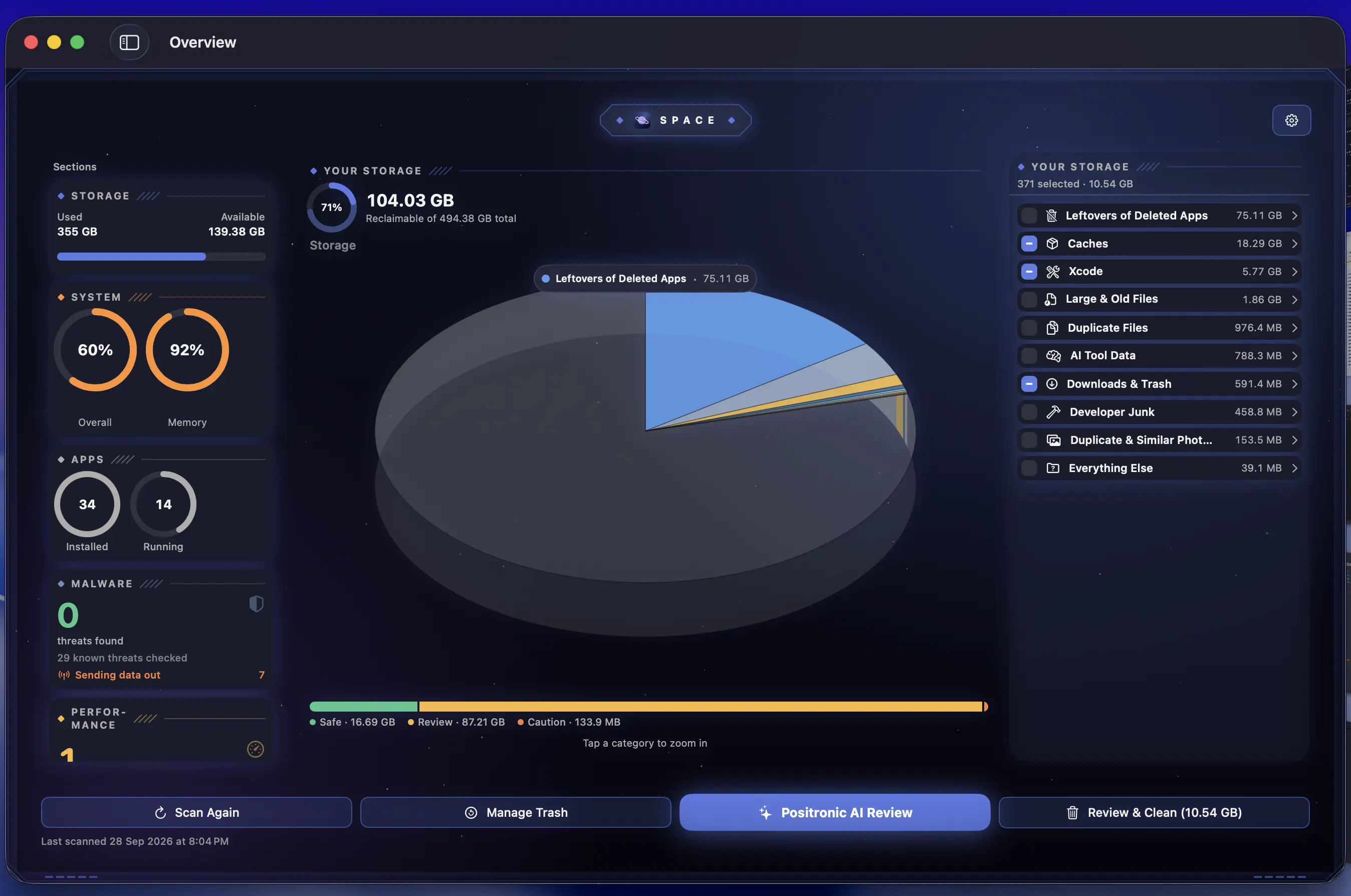
Caches, logs, developer junk, Xcode data, AI tool data, app leftovers, Downloads and Trash, sorted into one storage map.
Finds identical files and duplicate photos, even when they have different names and live in different folders.
Surfaces the big files you haven’t opened in months, with a “stale after N days” threshold per category.
Everything is graded Safe, Review or Caution, and only the safe items are pre-selected.
The scan runs on your Mac. Nothing about your files is uploaded.
Teach Space what matters. Memory Alpha remembers your rules, so the things you care about never make the cleanup list.
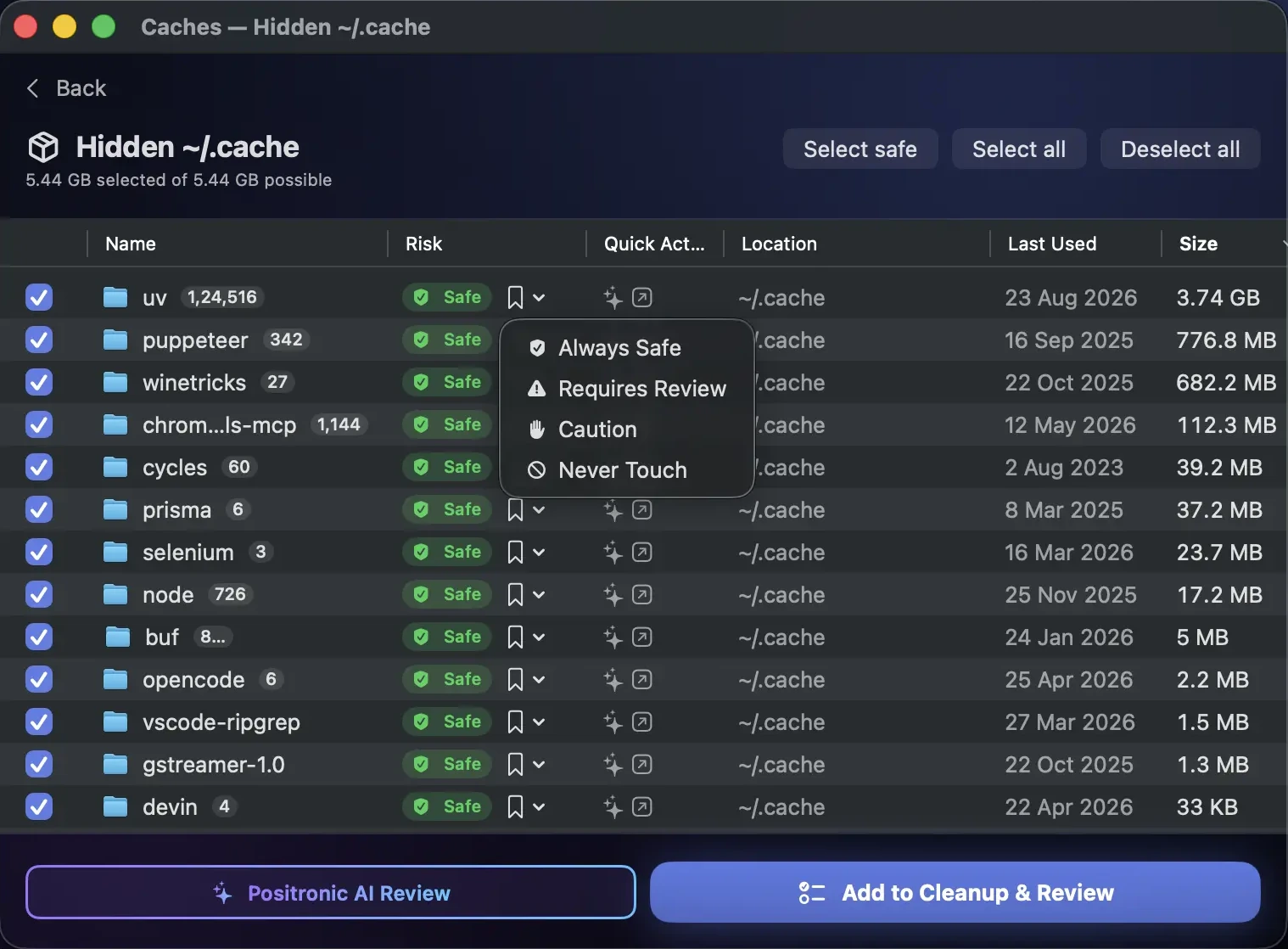
Mark any file or folder Never Touch and it’s left out of every future scan and clean.
Keep whole file types, like every .pdf or .psd, off the cleanup list wherever they live.
Tag a location Always Safe, Requires Review or Caution once. Space remembers it on every scan.
Cleans go to the Trash by default, so Undo Last Clean is always one click away.
Review or remove any rule from Preferences at any time.
Control Space and Memory Alpha from the AI you already use, and bring intelligence to every cleanup decision.
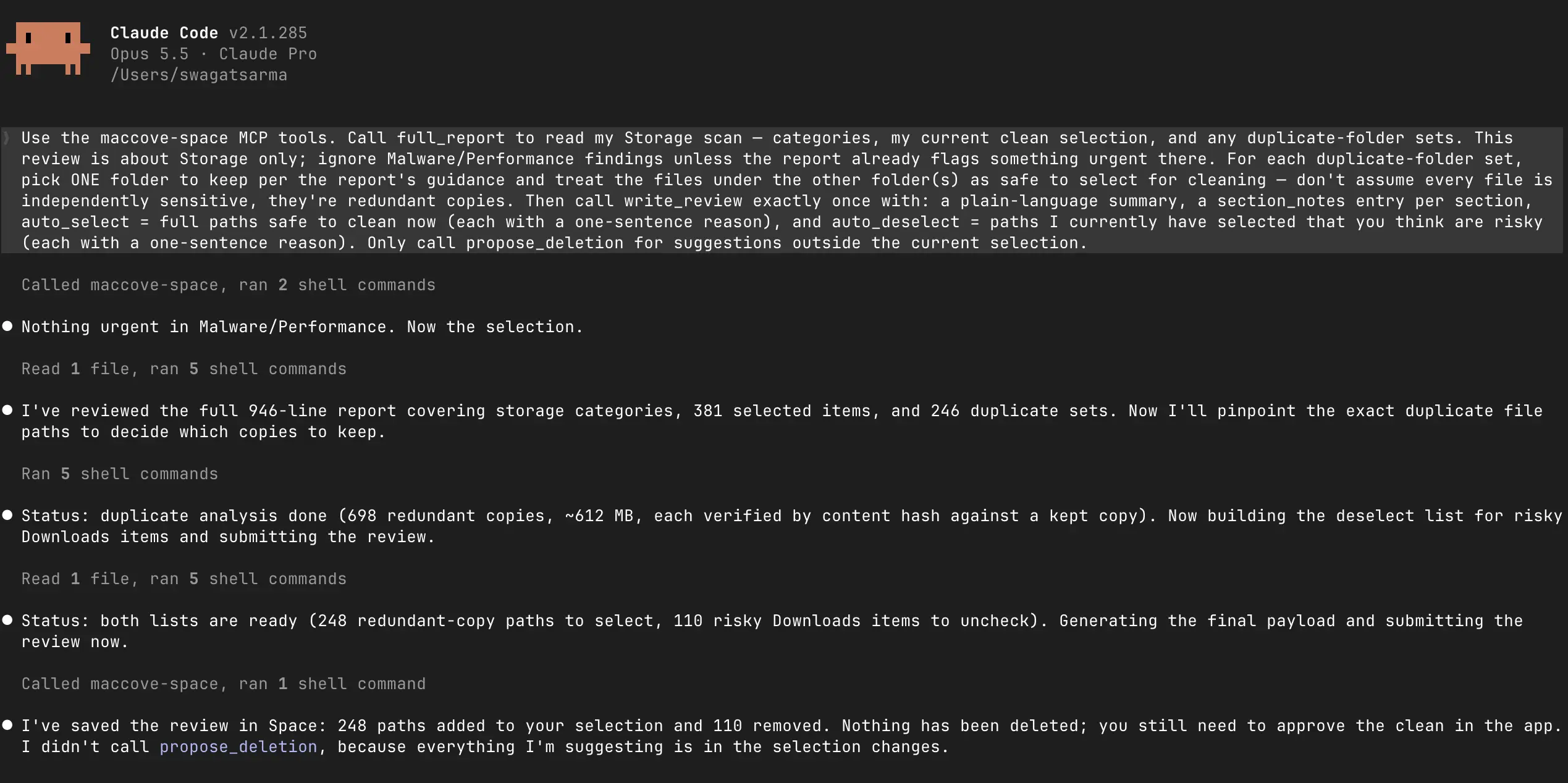
Connect Claude Code, Claude Desktop or Codex CLI over MCP with a config you copy in one click.
“What’s the biggest thing I can safely delete?” Your AI reads the scan report and answers.
Set Never Touch rules and protected types from chat instead of clicking through settings.
Your AI can inspect file details and preview text files to explain what something is before it goes.
Your AI can suggest deletions, but nothing is removed until you approve it in Space.
Free up space, speed up a slow Mac and keep it safe from malware, all from one app that keeps everything on your Mac.
up to 75% of your Mac’s storage by clearing the cache, system data, app leftovers, duplicate files and forgotten downloads you didn’t know were there —
without losing anything you need.
Up to 75% of storage reclaimed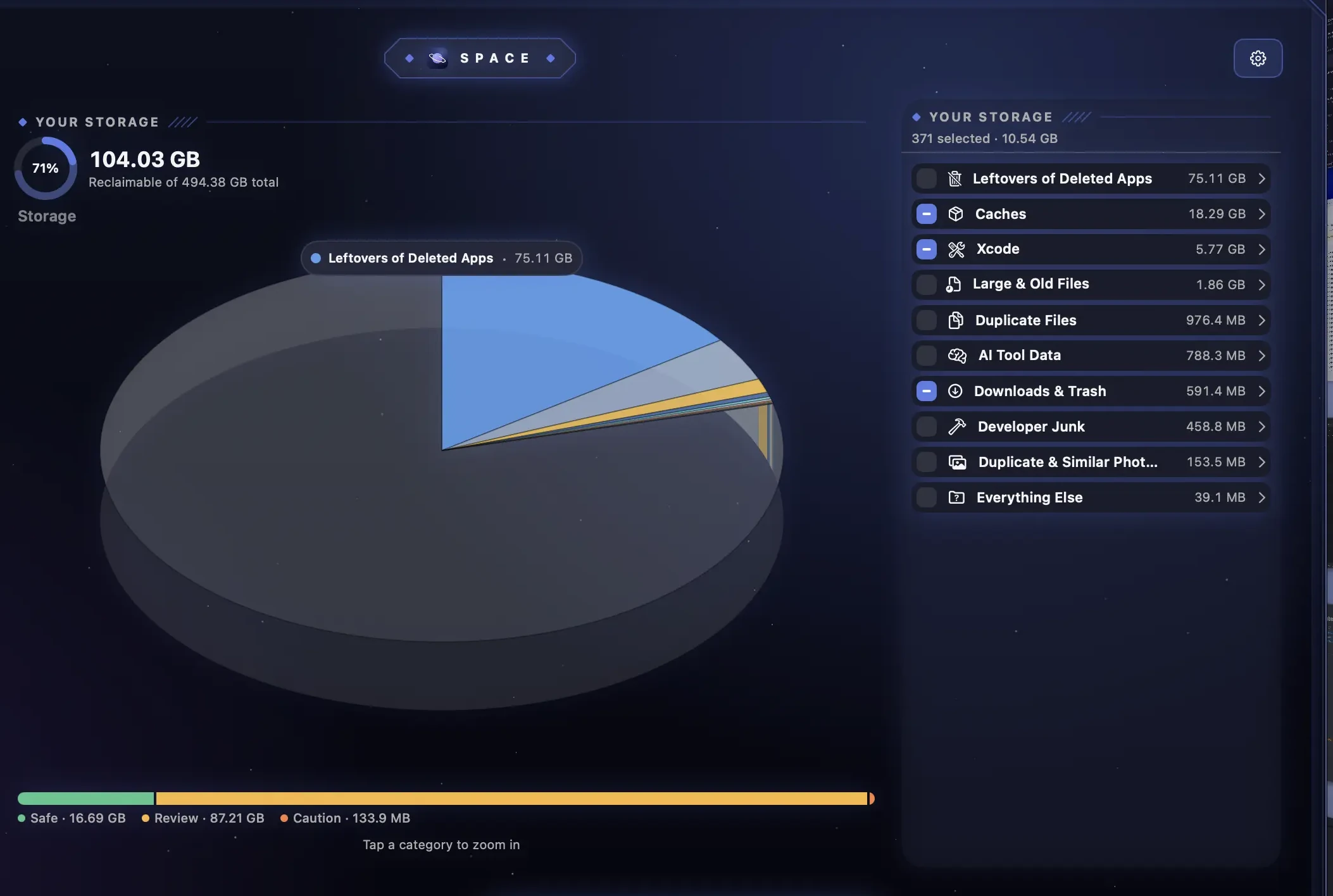
runaway processes and free up RAM the moment a heavy job starts starving your Mac of CPU and memory, or stop them before they get there —
proactively or reactively.
Process control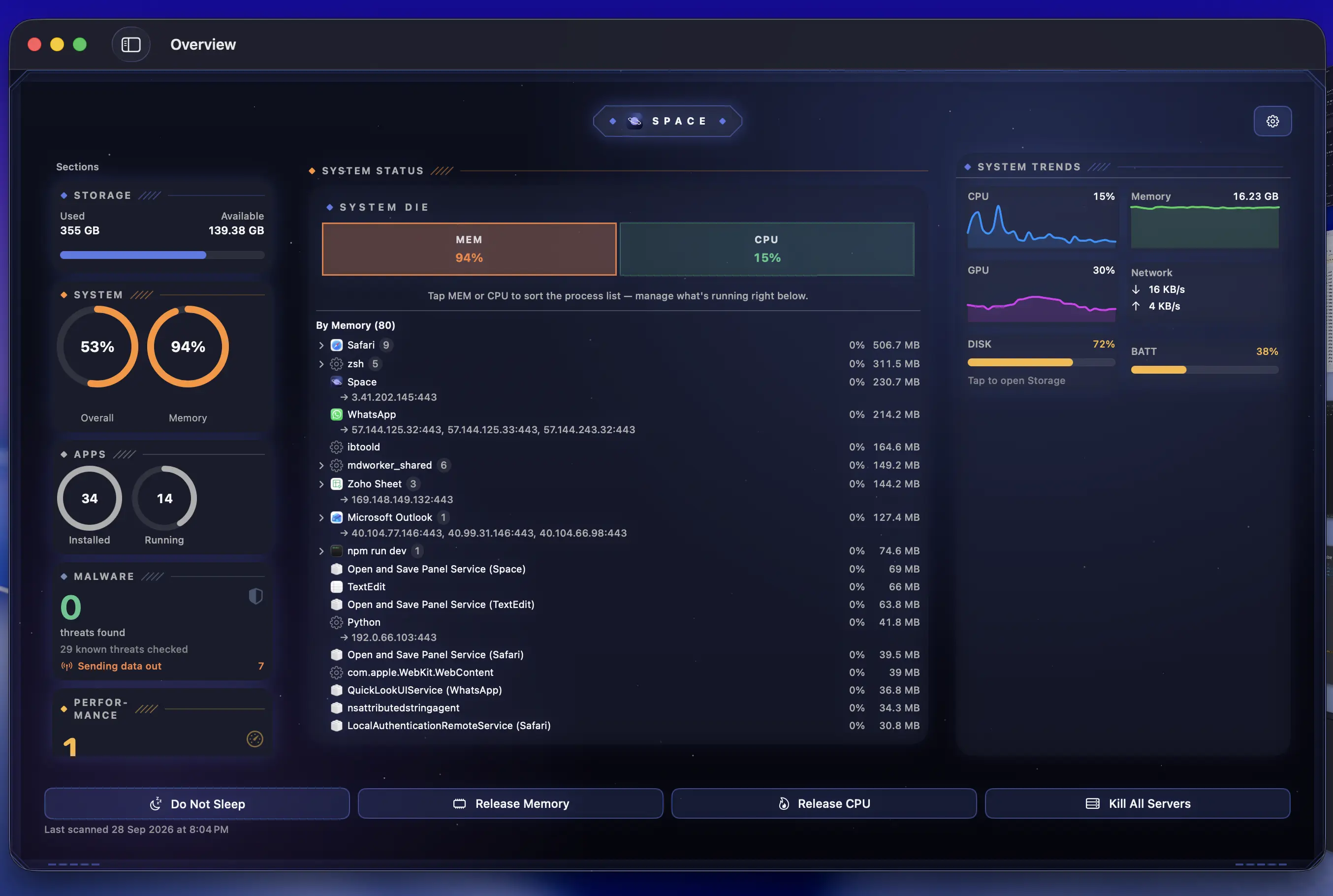
apps on your Mac completely, along with the preferences, caches, containers and support files they scatter across your Library —
no vestiges left behind.
Clean uninstalls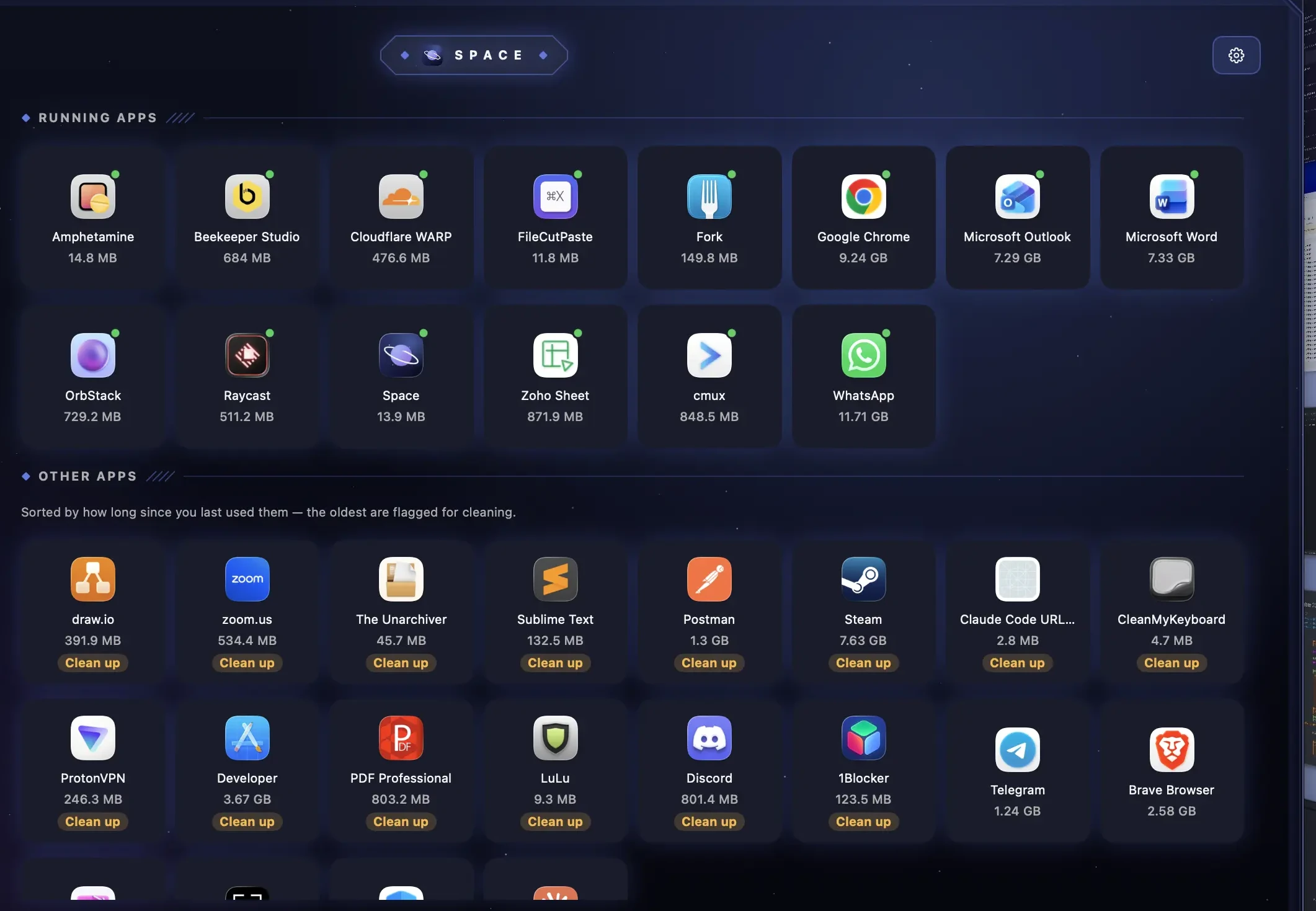
the startup apps, login items, launch agents and daemons that make your Mac run slow in the background —
so your Mac feels new again.
Background performance
malware and viruses hiding on your Mac with an on-device scan of what’s installed, what’s running and which apps are sending data out —
so you know your Mac is clean.
Malware scan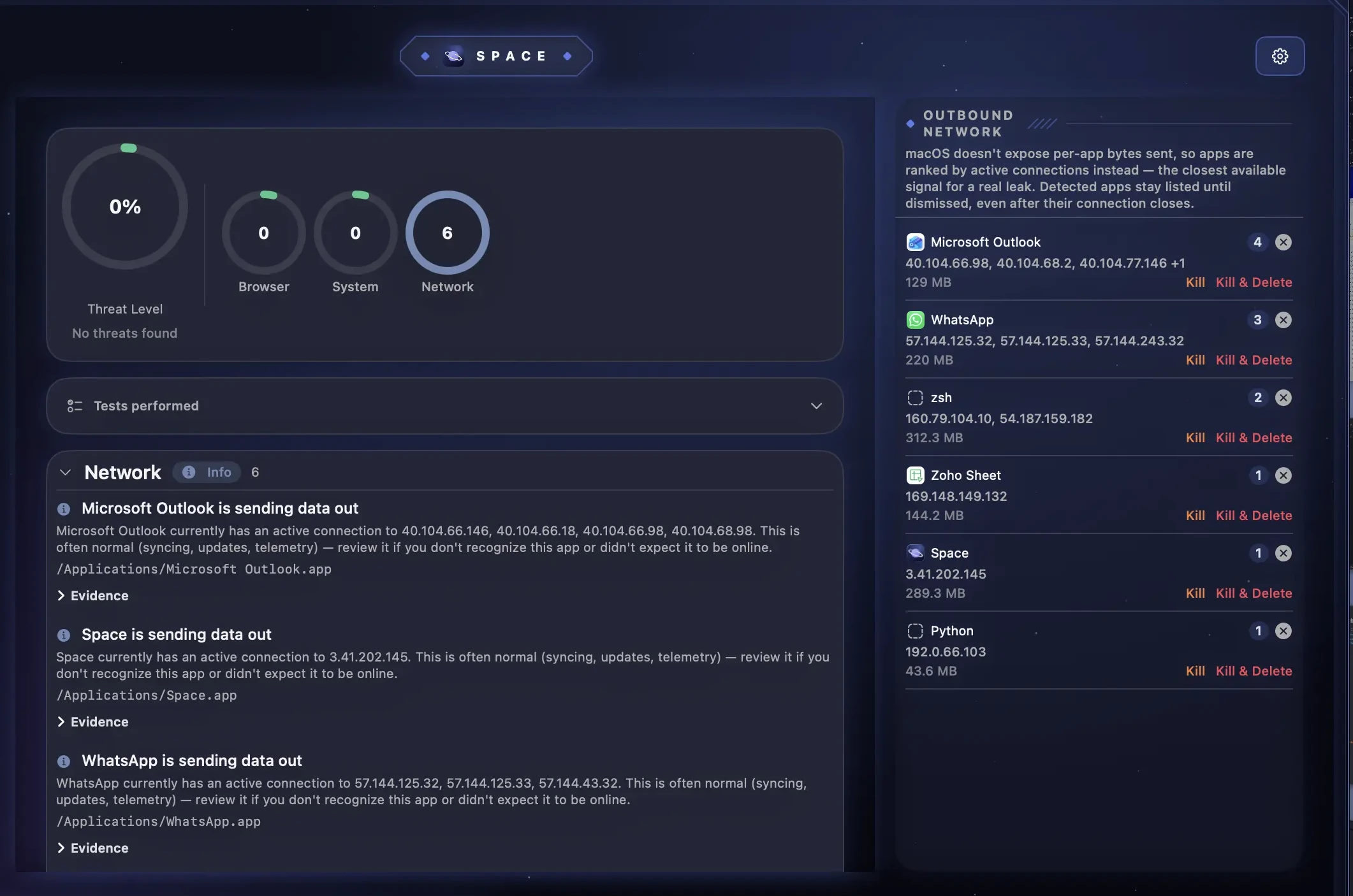
Other Mac cleaners make you do the thinking. Space does it for you.
Makes you click and drag an app to delete it.
Tells you which apps to delete.
Don’t cover 100% of your storage.
Covers your entire storage.
Shuts down the app you’re working on.
Suggests the apps you aren’t using, to free up memory.
Are dumb.
Lets your own AI agent review a file or folder and explain why it should go.
Drag the line on any card to compare.
Start free with the essentials. Go unlimited, monthly or annually, when you want the full toolkit.
No credit card required
Billed monthly, cancel anytime
Unlimited is a monthly or annual subscription. Cancel anytime.
Guides on how to clear cache, free up disk space, uninstall apps and speed up your Mac.

A slow Mac usually comes down to a full disk, memory pressure, startup apps, indexing or heat. Here's how to find which one it is and fix it without guesswork.
Read more
Dragging an app to the Trash removes the app, not its caches, preferences and background helpers. Here's every way to uninstall apps on a Mac, and how to clean up what's left.
Read more
System Data is macOS's catch-all storage bucket, and it can grow past 100GB. Here's what's actually in it, what's safe to remove, and the commands that shrink it.
Read moreEverything you need to know about MacCove Space. Can't find what you're looking for? Reach out — we're happy to help.
Dig deeper: clear System Data on Mac, clear the cache on Mac, uninstall apps completely, find duplicate files, see what’s taking up space, free up RAM, speed up a slow Mac, or compare Mac cleaners.
Have a question, a bug to report, or feedback on MacCove Space? We read every email.
support@maccove.comBrands we partner with and recommend to the MacCove community.